Building the SELES documentation site
How I built docs.seles.info, a Docusaurus site styled with the BC Government design system, and the gotchas worth sharing.

Charles Burnett
Background
SELES (Spatially Explicit Landscape Event Simulator) is landscape simulation software by Andrew Fall of Gowlland Technologies Ltd. Read more about SELES here. Some years ago I created a documentation site for SELES using MediaWiki. Earlier this summer Andrew told me that there was still a need for online docs, and I promised to stand one up—and I decided to use BC Government design standards and code as a case study.
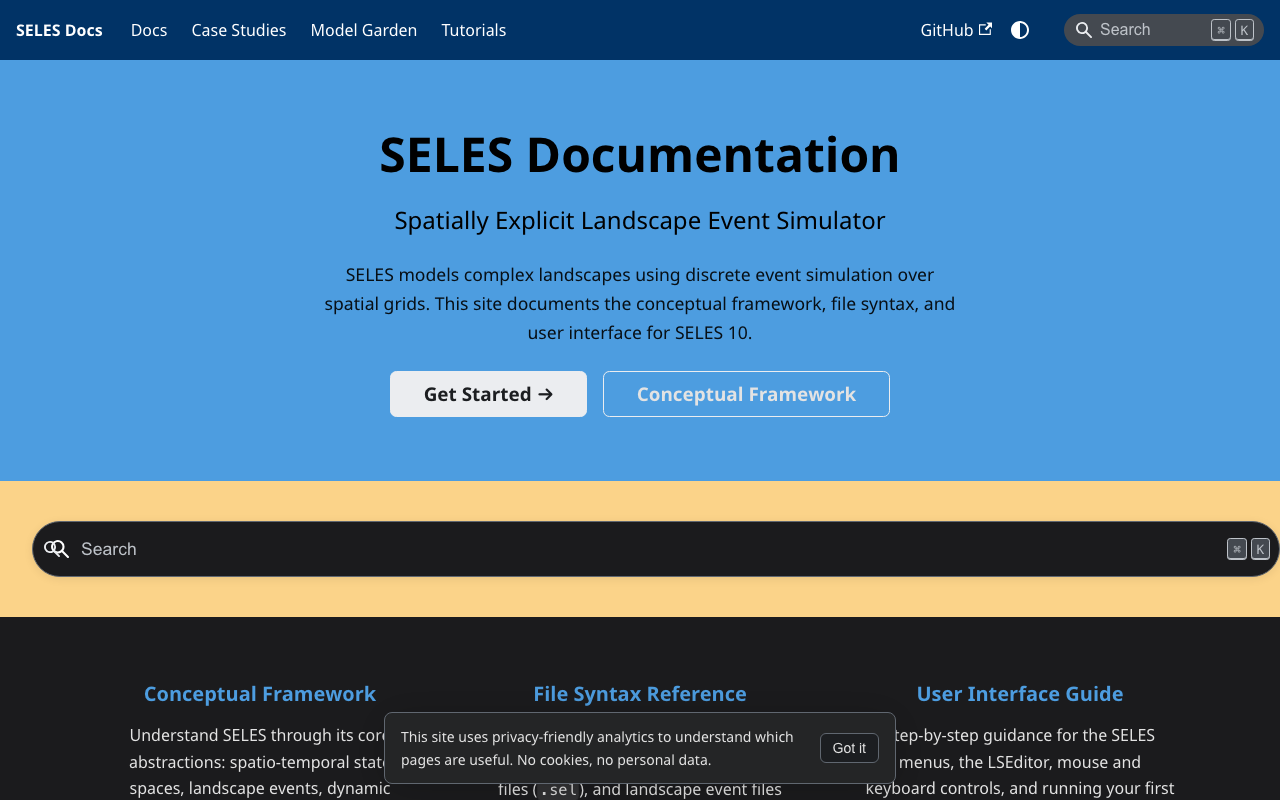
The result is docs.seles.info, with a conceptual framework, file syntax reference, user interface guide, case studies, a model garden and tutorials. It is an independent site, not an official BC Government site.
Implementation Highlights
Choosing Docusaurus. I used Docusaurus v3 (TypeScript, classic preset). It is MIT-licensed, maintained by Meta Open Source, and gives me sidebars and Markdown authoring without building anything custom.
BC Government design system. I styled the site with BC Sans, the @bcgov/design-tokens CSS variables and the BC Gov blue (#013366), mapped onto Docusaurus's Infima variables. I did this partly as a demonstration, so other BC Gov and BC Gov-adjacent teams can reuse the approach. There are no copyleft dependencies in the stack: Docusaurus is MIT, the design packages are Apache-2.0 and BC Sans uses the SIL Open Font License.
Hosting on Cloudflare Pages. The site deploys as a static site straight from GitHub. Every push to main triggers a build, with no CI config in the repo. Because the repo is public on GitHub, contributors can propose additions and changes as pull requests.
Several independent doc sections. Docs, Case Studies, Model Garden and Tutorials each have their own sidebar, using extra instances of the Docusaurus docs plugin.
Local search. I used @easyops-cn/docusaurus-search-local. It needs no third-party service, signup or API key, because it builds the index at build time and ships it as a static file.
Privacy-friendly analytics. Umami Cloud is cookieless and collects no personal data. A small notice on the site tells visitors this.
Gotchas
These cost me time, so I wrote them into a build guide for anyone reusing the approach:
- Environment variables don't deploy. Cloudflare Pages builds from a clean git checkout, so a git-ignored
.envnever reaches production. The analytics IDs have to be set in the Pages project's settings too, or production silently ships without analytics. - Don't run
docusaurus deploy. It targets GitHub Pages. On a site deployed through Cloudflare it will fail, or publish an unwanted second copy. - Breadcrumbs skip the section root. With multiple docs plugin instances, a deep page shows
Home > Conceptual Framework > ...rather thanHome > Docs > .... The fix is swizzlingDocBreadcrumbs. - Search only exists in production builds. In dev mode it shows a placeholder, so test with
npm run build && npm run serve. - Theme-independent navbars need explicit button colours. My dark blue navbar stays dark in both modes, so the light/dark toggle was invisible until I forced
.navbar .clean-btnto white.
AI Support
I used Claude Code within Visual Studio Code for assistance.
What's next
The site's own content and code license is still a draft. It is waiting on Andrew's confirmation of a license for the documentation content, and a final decision on the code license.